
The truck has been on the road, yet the battery reaches the next stop with too little charge for the planned parking period. Before ordering a replacement, check three things: power reaching the battery, permission to charge, and the current left after vehicle loads.
The first useful reading is battery current. An engine-running signal or a charger status light tells only part of the story.
For fleet maintenance teams, upfitters and OEM engineers, the aim is to find where the charging process stops doing its job. This checklist covers compatible 24V lithium installations; confirm the vehicle system voltage first, since U.S. commercial trucks do not all use the same electrical architecture.
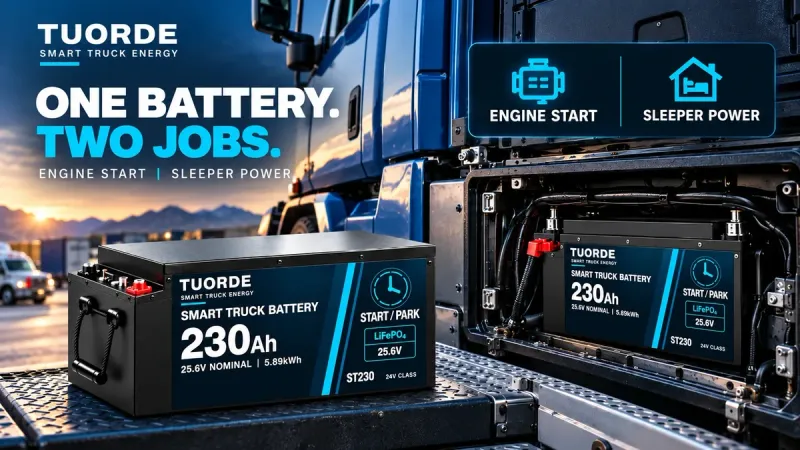
Cover image: application illustration; not an installation or charging-test record.
First, identify which battery and charging path you have
A truck with one bank serving both starting and parked loads has a different architecture from a vehicle with a separate auxiliary battery charged through a DC–DC unit. Confirm the wiring diagram before borrowing troubleshooting advice from another installation.
For a combined bank, the alternator, starter circuit, vehicle electronics and battery protection must work together. For a separate auxiliary bank, there may also be charger enable signals, input-voltage limits and an isolation strategy to investigate.
A DC–DC charger intended for an auxiliary branch is not a component to insert into the high-current engine-starting path. Any architecture change needs review by the vehicle integrator.
Use the symptom to decide what to record
Use the symptoms below to plan the checks with your installer. Qualified personnel should take electrical measurements and review any setting changes against the vehicle and equipment manuals.
| What you observe | What it may indicate | Evidence to collect before changing parts |
|---|---|---|
| Charger reports output, but battery current stays near zero | Vehicle loads may be consuming the available output | Synchronized charger output, battery current and active-load records |
| Charging switches on and off | Enable logic, input-voltage changes, thermal limits or protection events | Charger status messages, input voltage, temperatures and event timestamps |
| Charging starts, then input voltage falls | Supply limitation or excessive resistance in the charging path | Source and input voltages measured under the same load, plus alternator operating conditions |
| BMS reports that charging is not permitted | A temperature, voltage or other configured protection condition | Exact alarm, cell/pack readings, sensor data and recovery requirements |
| Charging current is low near the end of a charge | Normal charge regulation may be involved | SOC confidence, charge stage and the approved charging profile |
| Battery charge declines across successive trips | The route may not replace the energy consumed between drives | Battery-side energy records covering complete operating cycles |
1. Separate charger output from battery charging
An auxiliary charger may supply the battery and connected loads at the same time. Its displayed output therefore need not equal the current entering the battery. A refrigerator, cab equipment or inverter can consume part—or all—of that output.
Check how the battery monitor is installed, which current paths it captures and which sign indicates charging. Confirm those details before interpreting an app reading.
Log charger output, battery current and major load changes on the same timeline. You can then see whether the battery is gaining energy or the charger is mainly supporting running equipment. Victron discusses this distinction in its undercharge troubleshooting guidance.
2. Check how charging is enabled
Some auxiliary chargers use voltage-based engine-running detection; others require an approved ignition or control signal. If the vehicle's charging voltage changes during operation, the charger may interpret the conditions differently from what the driver expects.
Renogy's troubleshooting guidance calls for checking the alternator type, enable connection and equipment settings. Victron also documents cases where voltage-based detection needs an appropriate external engine-running signal.
Start with the installed charger model and the vehicle control strategy. Forcing charging continuously or lowering a protection threshold can conceal the cause and may leave the starter battery exposed to discharge.
3. Look at the charging path under load
A voltage reading taken with little current flowing can miss a problem that appears during charging. Have the installer compare the relevant source, charger-input and battery-terminal measurements under representative operating conditions.
Record engine speed and temperature conditions as well. Alternator nameplate output is not a guarantee of spare charging capacity at every operating point.
If charging repeatedly starts and stops, save the status log before resetting equipment. Compare each interruption with the input-voltage and temperature records. This gives the installer a starting point for separating supply limitations, connection resistance and control settings.
4. Read the BMS reason for limiting charge
Low charging current can be intentional. The battery may be approaching its charge limit, or the BMS may be responding to a temperature or cell-voltage condition.
Use the selected battery's approved operating limits. Do not copy a low-temperature threshold from another lithium model, and do not assume that a heating command means the cells are already ready to charge.
For a heated configuration, request the heating power source, sensor arrangement, charge-permission logic and recovery conditions. If those records are unavailable, mark them for engineering review rather than bypassing the protection.
5. Check the response when charging is interrupted
An integration review should address what happens when the BMS withdraws charge permission. Victron's alternator guidance identifies overheating and voltage transients following battery disconnection as concerns in lithium charging systems.
The vehicle architecture, alternator and battery controls determine the required interface. Have the integrator document that choice and the response expected from each device.
Request the agreed shutdown and recovery sequence from the integrator. Do not deliberately disconnect a charging battery as an informal test. Controlled validation requires a documented setup and appropriate protection.
6. Check whether the driving schedule is long enough
A short trip may not restore what the truck used while parked. Heating, vehicle loads, charging limits and periods of reduced charging can further narrow the recovery window.
Compare complete operating cycles using measured battery-side energy. Distinguish an unexpectedly interrupted charging session from a system that charges correctly but simply has too little time available.
A larger pack changes stored capacity. It does not, by itself, increase alternator output or extend the driving window. Agree what must be restored before the next stop, including the starting reserve.
Where TUORDE's truck platforms fit
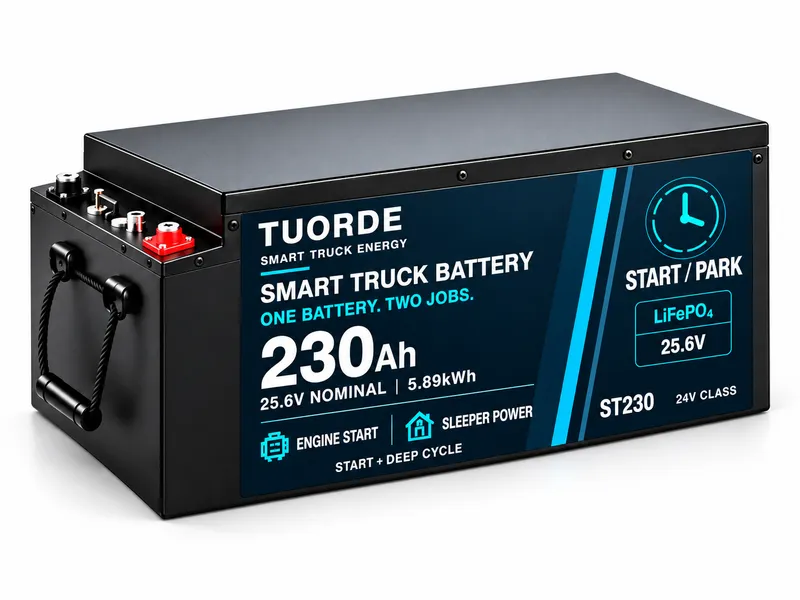
TUORDE's Truck Starting & Parking Battery Solutions include ST125 at 25.6V, 125Ah and 3.20kWh nominal; ST150 at 25.6V, 150Ah and 3.84kWh nominal; and ST230 at 25.6V, 230Ah and approximately 5.89kWh nominal.
These energy ratings are not guaranteed usable energy, and Ah alone does not establish engine-starting capability. For an ST230 project, confirm the charging arrangement and ordered BMS configuration alongside the parking requirement. No runtime or vehicle compatibility is implied.
For a vehicle-specific review, the engineering team will need the charging logs, heating logic and alternator/BMS interruption records for the selected configuration. This article provides a diagnostic framework; it does not publish those test results.
Send the evidence with your inquiry
For a fleet integration review or OEM/ODM battery program, provide:
- Truck, alternator, battery and charger model details.
- The wiring diagram and relevant installation photographs.
- Charger status, BMS alarms, voltage, current and temperature logs.
- Driving and parking schedules, active loads and the observed symptom.
- Target market, sample needs, estimated quantity and project timing.
Technical references
Renogy charger troubleshooting, Victron engine-running detection, Victron undercharge troubleshooting, and Victron alternator integration guidance. Their product-specific settings and ratings must not be transferred to TUORDE equipment.